
October 16, 2019 NHTSA CAMPAIGN NUMBER: 19V735000
No Visual Warning of Brake Pad Wear/FMVSS 135
If the driver is not alerted when brake pads are worn out, the vehicle may not respond as expected when braking, increasing the risk of crash.
NHTSA Campaign Number: 19V735
Manufacturer Porsche Cars North America, Inc.
Components ELECTRICAL SYSTEM, SERVICE BRAKES
Potential Number of Units Affected 44,128
Summary
Porsche Cars North America, Inc. (Porsche) is recalling certain 2017 Panamera 4, Panamera Turbo, Panamera Turbo Executive, 2017-2018 Panamera, Panamera 4S Executive, Panamera 4S, 2018 Panamera Turbo S Hybrid, Panamera 4 Hybrid Sport Turismo, Panamera 4 Sport Turismo, Panamera Turbo S Hybrid Sport Turismo, Panamera 4 Hybrid, Panamera 4 Executive, 2019 Cayenne Hybrid, 2019-2020 Cayenne, Cayenne S, Cayenne Turbo, 2020 Cayenne Coupe, Cayenne Turbo Coupe, and Cayenne S Coupe vehicles. The instrument cluster may not provide a visual warning when the brake pads are worn out. As a result, these vehicles fail to comply with Federal Motor Vehicle Safety Standard (FMVSS) number 135, “Light vehicle brake systems.”
Remedy
Porsche will notify owners, and dealers will reprogram the instrument cluster, free of charge. The recall is began December 13, 2019. Owners may contact Porsche customer service at 1-800-767-7243. Porsche’s number for this recall is AKB8. Note: This recall supersedes recall 19V115 and includes vehicles that were previously remedied under that campaign.
Notes
Owners may also contact the National Highway Traffic Safety Administration Vehicle Safety Hotline at 1-888-327-4236 (TTY 1-800-424-9153), or go to www.safercar.gov.
Check if your Porsche has a Recall
Technical Information |
Service132/19 ENU AKB8 |
9 |
AKB8 – Re-programming Instrument Cluster (Stop Delivery/Recall Campaign)
| Model Line: | Panamera (971) |
| Model Year: | As of 2017 up to 2020 |
| Subject: | Instrument cluster |
| Important: | CRITICAL WARNING – This campaign includes steps where control unit(s) in the vehicle will be programmed with the PIWIS Tester. The vehicle voltage must be maintained between 13.5 volts and 14.5 volts during this programming. Failure to maintain this voltage could result in damaged control unit(s). Damage caused by inadequate voltage during programming is not a warrantable defect. The technician must verify the actual vehicle voltage in the PIWIS Tester before starting the campaign and also document the actual voltage on the repair order. |
| Information: | The legally required display logic of the brake wear indicator cannot be sufficiently met at present.
Only the yellow “Brake pad worn” warning, which can be acknowledged, would be displayed at present in the “Map” and “Night Vision Assist” submenus in the Car & Info display on the instrument cluster if a brake pad is worn. These display settings do not provide an additional permanent warning by displaying the brake pad wear symbol. |
| Remedial Action: | Re-program the instrument cluster using the PIWIS Tester with test software version 38.900.010 (or higher) installed.
Information Please note that the instrument cluster in some vehicles must be replaced before re-programming. Specific campaign scopes have therefore been defined for this purpose. Every vehicle is clearly assigned just one campaign scope. To find out which campaign scope is assigned to the relevant vehicle, see PCSS Vehicle Information. For an overview of the campaign scopes, see ⇒ Technical Information ‘Warranty processing’
* Vehicles for which workshop campaign WJ14 is still open in addition to this recall campaign AKB8 are assigned Scope 4. Workshop campaign WJ14 must therefore be carried out as a remedial measure for both campaigns. The instrument cluster is re-programmed, for example, as part of campaign WJ14. For instructions, seeTechnical Information ‘WJ14 Workshop campaign Checking total mileage in instrument cluster’. Once campaign WJ14 has been carried out, a warranty claim must only be submitted for this campaign AKB8 so that the campaign is flagged as completed, see ⇒ Technical Information ‘Warranty processing’ -Scope 4.
|
| Affected Vehicles: | Only the vehicles assigned to the campaign (see also PCSS Vehicle Information). There are 49,670 vehicles affected by this campaign in North America. |
Required tools
| Tools: |
|
Preparatory work
NOTICE
Fault entry in the fault memory and control unit programming aborted due to low-voltage.
- Increased current draw during diagnosis or control unit programming can cause a drop in voltage, which can result in one or more fault entries and the abnormal termination of the programming process.
⇒ Before starting control unit programming, connect a suitable battery charger with a current rating of at least 90 A to the vehicle.
NOTICE
Control unit programming will be aborted if the WLAN connection is unstable.
- An unstable WiFi connection can interrupt communication between the PIWIS Tester and the vehicle communication module (VCI). As a result, control unit programming may be aborted.
⇒ During control unit programming, always connect the PIWIS Tester to the vehicle communication module (VCI) via the USB cable.
NOTICE
Control unit programming will be aborted if the driver’s key is not recognized
- If the driver’s key is not recognized in the vehicle, programming cannot be started or will be interrupted.
⇒ Place the driver’s key with the back facing down into the front left storage compartment in the center console to guarantee a continuous radio link between the vehicle and the driver’s key.
Work Procedure: 1
Carry out general preliminary work for control unit programming as described in ⇒ Workshop Manual ‘9X00IN Basic instructions and procedure for control unit programming using the PIWIS Tester’.
Information
Programming can cause the individual customer settings to be lost. Always check these and write them down if necessary before getting started.
2 Check customer settings in the instrument cluster and write them down if necessary.
Re-programming instrument cluster – vehicles with assigned Scope 1
Work Procedure: 1
Re-program the instrument cluster.
The basic procedure for control unit programming is described in the Workshop Manual ⇒ Workshop Manual ‘9X00IN Basic instructions and procedure for control unit programming using the PIWIS Tester’.
For specific information on control unit programming during this campaign, see table below.
Information
The procedure described here is based on the PIWIS Tester 3 software version 38.900.010.
The PIWIS Tester instructions take precedence and in the event of a discrepancy, these are the instructions that must be followed.
A discrepancy may arise with later software versions for example.
| Required PIWIS Tester software version: | 38.900.010 (or higher) | |
| Type of control unit programming: | Control unit programming using the “Campaign” function in the Additional menu on the PIWIS Tester by entering a programming code. | |
| Programming code: | H9W3B | |
| Programming sequence: | Read and follow the information and instructions on the PIWIS Tester during the guided programming sequence.
The instrument cluster is re-programmed and then re-coded automatically during the programming sequence. The display in the instrument cluster is switched off during programming. The ignition is still active in the background. The display in the instrument cluster will be switched on again automatically as soon as programming is complete. Switch the ignition off and then on again only when prompted to do so by the PIWIS Tester because otherwise, programming will be interrupted and will then have to be started again. | |
| Programming time (approx): | 60 minutes | |
| Software version programmed during this campaign: | Instrument cluster with hardware version 9 and original software version 01xx | 0145 |
| Instrument cluster with hardware version 9 and original software version 02xx | 0219 | |
| Instrument cluster with hardware version 9 and original software version 03xx | 0312 | |
| Instrument cluster with hardware version 11 – irrespective of original software version | 0255 | |
| Procedure in the event of abnormal termination of control unit programming: |
| |
| Procedure in the event of error messages appearing during the programming sequence: | ⇒ Workshop Manual ‘9X00IN Basic instructions and procedure for control unit programming using the PIWIS Tester – section on “Fault finding”‘. | |
Once programming has been carried out successfully, continue withTechnical Information ‘9X00IN Concluding work’.
Replacing and re-programming instrument cluster – vehicles with assigned Scope 3
Work Procedure: 1
Replace instrument cluster.
For instructions, see ⇒ Workshop Manual ‘9X00IN Replacing instrument cluster’.
Information
The part number of the required instrument cluster can be determined based on the vehicle identification number (VIN) in the Parts Catalog PET.
Information
Once the instrument cluster has been replaced, use the PIWIS Tester to check the software version of the new instrument cluster by selecting the “Extended identification” menu for the instrument cluster.
| Result of check | Action required |
| The instrument cluster software is 0145, 0219, 0255 or 0312 | – End of action required –
Continue with ⇒ Technical Information ‘9X00IN Concluding work’. |
| Software version is not any of the software versions specified above. | Continue with Step 2 – Re-program the instrument cluster. |
2 Re-program the instrument cluster.
The basic procedure for control unit programming is described in the Workshop Manual ⇒ Workshop Manual ‘9X00IN Basic instructions and procedure for control unit programming using the PIWIS Tester’.
For specific information on control unit programming during this campaign, see table below.
Information
The procedure described here is based on the PIWIS Tester 3 software version 38.900.010.
The PIWIS Tester instructions take precedence and in the event of a discrepancy, these are the instructions that must be followed.
A discrepancy may arise with later software versions for example.
| Required PIWIS Tester software version: | 38.900.010 (or higher) | |
| Type of control unit programming: | Control unit programming using the “Campaign” function in the Additional menu on the PIWIS Tester by entering a programming code. | |
| Programming code: | H9W3B | |
| Programming sequence: | Read and follow the information and instructions on the PIWIS Tester during the guided programming sequence.
The instrument cluster is re-programmed and then re-coded automatically during the programming sequence. The display in the instrument cluster is switched off during programming. The ignition is still active in the background. The display in the instrument cluster will be switched on again automatically as soon as programming is complete. Switch the ignition off and then on again only when prompted to do so by the PIWIS Tester because otherwise, programming will be interrupted and will then have to be started again. | |
| Programming time (approx): | 60 minutes | |
| Software version programmed during this campaign: | Instrument cluster with hardware version 9 and original software version 01xx | 0145 |
| Instrument cluster with hardware version 9 and original software version 02xx | 0219 | |
| Instrument cluster with hardware version 9 | 0312 | |
| and original software version 03xx | ||
| Instrument cluster with hardware version 11 – irrespective of original software version | 0255 | |
| Procedure in the event of abnormal termination of control unit programming: |
| |
| Procedure in the event of error messages appearing during the programming sequence: | ⇒ Workshop Manual ‘9X00IN Basic instructions and procedure for control unit programming using the PIWIS Tester – section on “Fault finding”‘. | |
Concluding work
Work Procedure: 1
Carry out general subsequent work for control unit programming as described under ⇒ Workshop Manual ‘9X00IN Basic instructions and procedure for control unit programming using the PIWIS Tester’.
Information
The values for the Tire Pressure Monitoring (TPM) system may be lost during re-coding of the instrument cluster.
If the Tire Pressure Monitoring (TPM) system is reset, the wheel electronics must be re-taught and adapted to the system.
Preconditions and procedure for teaching the wheel electronics units:
- Vehicle is stationary for at least 5 minutes.
- Select the type of tires fitted (type and size) in the TPM menu in the instrument cluster. The message “No monitoring. System is learning from 15 mph (25 km/h)” then appears in the multi-function display.
- Drive at a speed of more than 15 mph (25 km/h) – ideally without stopping – until the tire pressure values are displayed (learning time: less than 2 minutes).
The system learns the wheel electronics only while driving. Intermediate stops and deviations from the described teaching procedure can result in a much longer learning time.
Teaching can be performed during the test drive or later while the customer is driving. Please inform your customer about this if necessary.
- Restore customer settings if necessary.
- Enter the campaign in the Warranty and Maintenance booklet.
Warranty processing
Information
The specified working times were determined specifically for carrying out this campaign and include all required preliminary and subsequent work.
The working times may differ from the working times published in the Labor Operation List in PIWIS.
Scope 1:
Re-programming instrument cluster
| Working time:
Re-programming instrument cluster Includes: Connecting and disconnecting battery charger Connecting and disconnecting PIWIS Tester Checking customer settings and restoring them if necessary Reading out and erasing fault memories ⇒ Damage Code AKB8 099 000 1 | Labor time: 73 TU |
Scope 2:
Not relevant for this vehicle type.
Scope 3:
Replacing instrument cluster and re-programming if necessary
| Working time:
Replacing instrument cluster and re-programming if necessary Includes: Connecting and disconnecting battery charger Connecting and disconnecting PIWIS Tester Removing and installing instrument cluster Checking customer settings and restoring them if necessary Reading out and erasing fault memories ⇒ Damage Code AKB8 099 000 2 | Labor time: 274 TU |
Scope 4:
Submitting warranty claim
– The required measure is carried out by completing workshop campaign WJ14.
| Working time:
Warranty processing for recall campaign AKB8 ⇒ Damage Code AKB8 099 000 1 | Labor time: 5 TU |
Important Notice: Technical Bulletins issued by Porsche Cars North America, Inc. are intended only for use by professional automotive technicians who have attended Porsche service training courses. They are written to inform those technicians of conditions that may occur on some Porsche vehicles, or to provide information that could assist in the proper servicing of a vehicle. Porsche special tools may be necessary in order to perform certain operations identified in these bulletins. Use of tools and procedures other than those Porsche recommends in these bulletins may be detrimental to the safe operation of your vehicle, and may endanger the people working on it. Properly trained Porsche technicians have the equipment, tools, safety instructions, and know-how to do the job properly and safely. Part numbers listed in these bulletins are for reference only. The work procedures updated electronically in the Porsche PIWIS diagnostic and testing device take precedence and, in the event of a discrepancy, the work procedures in the PIWIS Tester are the ones that must be followed.
Stop Delivery
Cayenne (9YA und 9YB), Panamera (971)
AKB8 Stop Delivery – Re-programming instrument cluster
Reason:
Software programming error
The subject vehicles do not meet the requirements of S5.5.3 of FMVSS No. 135 because the brake wear warning indicator is not continually illuminated in the subject vehicles in all instrument cluster display menu sub-levels.
The instrument cluster must be re-programmed with updated software, to ensure the required display of worn-out brake pads.
Remedial action:
Re-programming the instrument cluster with PIWIS Tester 3.
Required tools:
- Battery charger with a current rating of at least 90 A and a current and voltage-controlled
charge map for lithium starter batteries, e.g. VAS 5908 – Battery charger 90A - 9900 – PIWIS Tester 3 with PIWIS Tester test software version 38.750.025 (or higher)
installed
Information
The new Cayenne is equipped as standard with a lithium starter battery, which must only be charged using suitable battery chargers.
For further information about the battery chargers to be used, see:
⇒ Workshop Manual ‘2706IN General information on the 12-volt lithium-ion battery‘
⇒ Workshop Manual ‘270689 Charging vehicle electrical system battery’
Preliminary work
- Follow the safety instructions for control unit programming ⇒ Workshop Manual ‘9X00IN Basic instructions and procedure for control unit programming‘
- Connect a battery charger that is suitable for lithium starter batteries with a current rating of at least 90 A (e.g. VAS 5908 – Battery charger 90A) to the jump-start terminals in the engine compartment.
- Position the driver’s key in the rear area of the left cupholder in the centre console between the holding struts (emergency start tray) in order to guarantee a permanent radio link between the vehicle and driver’s key
- Switch on the ignition.
- 9900 – PIWIS Tester 3 must be connected to the vehicle communication module (VCI) via the cable. Then connect the communication module to the vehicle and switch on the PIWIS Tester.
- On the PIWIS Tester start screen, call up the ‘Diagnostics‘ application. The vehicle type is then read out, the diagnostic application starts and the control unit selection screen is populated.
Re-programming instrument cluster
1. For specific information on control unit programming during this campaign, see the table below:
The basic procedure for control unit programming is described in the Workshop Manual ⇒ Workshop Manual ‘9X00IN Basic instructions and procedure for control unit programming using the PIWIS Tester’.
| Required PIWIS Tester software version: | 38.750.025 (or higher) |
| Type of control unit programming: | Control unit programming using the “Campaign” function in the Additional menu on the PIWIS Tester by entering a programming code. |
| Programming code: | Cayenne (9YA and 9YB): Y5L2W
Panamera (971): H9W3B |
| Programming sequence: | Read and follow the information and instructions on the PIWIS Tester during the guided programming sequence.
The instrument cluster is re-programmed and then recoded automatically during the programming sequence. Do not interrupt programming and coding. |
| Programming time (approx.): | 60 minutes |
| Software version programmed during this campaign: | Instrument cluster (Cayenne) 0907
Instrument cluster (Panamera): 0255 Following control unit programming, the software version can be read out of the instrument cluster in the ‘Extended identification’ menu using the PIWIS Tester. |
| Procedure in the event of abnormal termination of control unit programming: | Repeat control unit programming by entering the programming code again. |
| Procedure in the event of error messages appearing during the programming sequence: | ⇒ Workshop Manual ‘9X00IN Basic instructions and procedure for control unit programming using the PIWIS Tester – section on “Fault finding”‘. |
Subsequent work
- Read out and erase all fault memories.
1.1 In the control unit selection screen (‘Overview‘ menu), press F7 to call up the ‘Additionalmenu‘.
1.2 Select the function “Read all fault memories and erase if required” and press F12 (“Next”) to confirm your selection
1.3 Once you have read out the fault memories, check the fault memory entries.
Information
If control units are found to have faults that are not caused by control unit programming, these must first be found and corrected. This work cannot be invoiced under the workshop campaign number.
1.4 Press F8 to delete fault memory entries..
1.5 Press F12 (“Yes”) in response to the question as to whether you really want to delete all fault memory entries. The faults stored in the fault memories of the various control units are deleted.
1.6 Switch off the ignition.
1.7 Disconnect the PIWIS Tester from the vehicle.
1.8 Switch off and disconnect the battery charger.
1.9 Enter the campaign in the Warranty and Maintenance booklet.
Information
The values for the Tire Pressure Monitoring (TPM) system may be lost during re-coding of the instrument cluster. If the Tire Pressure Monitoring (TPM) system is reset, the wheel electronics must be re-taught and adapted to the system.
Preconditions and procedure for teaching the wheel electronics units:
- Vehicle is stationary for at least 5 minutes.
- Select the type of tires fitted (type and size) in the TPM menu in the PCM. The message “No monitoring. System is learning from 25 km/h or 15 mph” then appears in the multi-function display.
- Drive at a speed of more than 25 km/h (15 mph) – ideally without stopping – until the tire pressure values are displayed (learning time: less than 2 minutes)
The system learns the wheel electronics only while driving. Intermediate stops and deviations from the described teaching procedure can result in a much longer learning time.
Teaching can be performed during the test drive or later while the customer is driving. Please inform your customer about this if necessary.
Warranty processing
Scope 1: Re-programming instrument cluster – Panamera (971)
Working time:
| Includes: | Connecting and disconnecting battery charger
Connecting and disconnecting PIWIS Tester Reading out and erasing fault memory | 73 TU |
Invoicing: Damage Code AKB8 99 000, Repair Code 1
Scope 2: Re-programming instrument cluster– Cayenne (9YA and 9YB)
Working time:
| Includes: | Connecting and disconnecting battery charger
Connecting and disconnecting PIWIS Tester Reading out and erasing fault memory | 74 TU |
Invoicing: Damage Code AKB8 99 000, Repair Code 1
URGENT SAFETY RECALL
This is an important Safety Recall.
The remedy will be performed FREE OFCHARGE to you.
December 13, 2019
This notice applies to your vehicle:
IMPORTANT SAFETY RECALL
Certain 2017 – 2018 Model Year Porsche Panamera and
Certain 2019 – 2020 Cayenne Vehicles
Reprogramming Instrument Cluster
Dear Mr.
This notice is sent to you in accordance with the National Traffic and Motor Vehicle Safety Act. Porsche has decided that certain 2017-2018 Porsche Panamera and 2019-2020 Porsche Cayenne vehicles fail to conform to Federal Motor Vehicle Safety Standard No. 135 “Light vehicle brake systems.”
You received this notice because our records indicate that you are the current owner of a vehicle affected by this recall.
What is the issue?
In the affected vehicles, the brake wear warning indicator is not continually illuminated in all instrument cluster display menu sub-levels. If the driver is not alerted when brake pads are worn out, the driver may lose control of the vehicle while attempting to brake, increasing the risk of crash.
What will Porsche do?
Porsche is conducting a safety recall to reprogram the instrument cluster to ensure the required display of worn brake pads in all menu sub-levels.
This is an important Safety Recall.
This recall will take approximately 90 minutes to complete and will be carried out at no expense to you.
What if you are not the owner or operator of this vehicle?
If you are the lessor and registered owner of the vehicle identified in this action, the law requires you to forward this letter immediately via first-class mail to the lessee within ten days of receipt of this notice.
If you have changed your address or sold the vehicle, please fill out the enclosed prepaid Owner Reply Card and mail it to us so we can update our records.
Can we assist you further?
Please be aware that if you require any assistance in making an appointment to have this recall performed, please call or write:
Porsche Cars North America, Inc.
Attn: Customer Commitment Department
One Porsche Drive
Atlanta, GA 30354 1-800-PORSCHE
[email protected]
If you believe that the dealer or Porsche has failed or is unable to perform the remedy without charge or within a reasonable amount of time, you may file a complaint to the Administrator, National Highway Traffic Safety Administration, 1200 New Jersey Avenue, S.E., Washington, D.C. 20590 or call the toll-free Vehicle Safety Hotline at 1-888-327-4236 {TTY: 1-800- 424-9153) or go to: https://www.safercar.gov.
We apologize for any inconvenience this matter may cause you. We are taking this action to help ensure your safety and continued satisfaction with your vehicle.
Very truly yours,
Porsche Cars North America, Inc.
General Reimbursement Plan of Porsche Cars North America Inc.
Porsche Cars North America, Inc. (“PCNA”) submits the following general reimbursement plan in accordance with 49 U.S.C. S 80120(d) and 49 C.F.R S 573.6(c)(8)(i) to reimburse owners and purchasers for costs incurred for remedies in advance of PCNA’s notification of safety-related defects and noncompliance with Federal Motor Vehicle Safety Standards under subsection (b) or (c) of 49 U.S.C. S 301 18 (“the Plan”).
1. Reimbursement Period.
a. The beginning date for reimbursement shall be determined as follows:
(i) For a noncompliance with a Federal Motor Vehicle Safety Standard, the beginning date for reimbursement shall be the date of the first test or observation by either NHTSA or the manufacturer indicating that a noncompliance may exist.
(ii) For a safety-related defect that is determined to exist following the opening of an Engineering Analysis (EA) by NHTSA’s Office of Defects Investigation (ODI), the beginning date for reimbursement shall be the date the EA was opened, or one (1) year before the date of PCNA’s notification to NHTSA pursuant to 49 C.F.R. S 573.6, whichever is earlier.
(iii) For a safety-related defect that is determined to exist in the absence of the opening of an EA, the beginning date for reimbursement shall be one (1) year before the date of PCNA’s notification to NHTSA pursuant to 49 C.F.R S 578.6.
b. The ending date for reimbursement shall be ten (10) calendar days after the date on which PCNA mailed the last of its owner notifications pursuant to 49 C.F.R. Part 577.
c. PCNA may choose to extend the reimbursement periods for a particular recall in its discretion.
2. Reimbursement Conditions.
PCNA will reimburse owners and purchasers for pre-notification repair or replacement subject to the following conditions:
a. PCNA will not reimburse for costs incurred within the period during which a PCNA original or a PCNA issued extended warranty would have provided for a free repair without any payment by the consumer of the defect addressed by the recall unless (i) the customer submitted the vehicle to a franchised dealer or authorized representative of PCNA, who then denied warranty coverage or (ii) the repair made under warranty did not remedy the defect addressed by the recall. Any warranty covered by this subsection must be in writing.
b. PCNA will not reimburse owners or purchasers:
(i) If the pre-recall notification repair was not of the same type (repair, replacement or refund of purchase price) as the recall remedy;
(ii) If the pre-recall notification repair did not address the defect or noncompliance that led to the recall or a manifestation of the defect or noncompliance; or
(iii) If the pre-recall notification repair was not reasonably necessary to correct the defect or noncompliance that led to the recall or a manifestation of the defect or noncompliance.
However, nothing stated in subsection 2.b shall require that the pre-recall notification repair be identical to the recall remedy.
3. Amount of Reimbursement.
The amount of reimbursement shall be limited to out of pocket costs incurred by the owner of the vehicle at the time of the pre-recall notification repair as set forth below:
a. For parts, labor, and miscellaneous fees such as disposal of waste and taxes for the pre-recall notification repair;
b. Regardless of subsection 8.a., the reimbursed costs for labor shall be limited to the standard local labor rate at the time of the pre-recall notification repair charged by the nearest authorized Porsche dealership for such a repair.
c. Regardless of subsection 8.a., the reimbursed costs for parts shall be limited to PCNA’s retail price for authorized parts at the time of the pre-recall notification repair.
d. Any other costs, whether associated, consequential, or otherwise, will not be reimbursed.
4. Documentation Necessary to Obtain Reimbursement.
The following documentation must be submitted to obtain reimbursement:
a. Name and address of the claimant;
b. Documentation establishing vehicle ownership by the claimant at the time of the pre-recall notification repair;
c. Documentation establishing vehicle make, model, model year and Vehicle Identification Number (VIN);
d. PCNA’s recall number or NHTSA’s recall number;
e. A receipt, such as a dealership Repair Order, invoice, or payment information for the pre-recall notification repair.
(i) Such documentation should provide sufficient information to reflect that the pre-recall notification repair addressed the same defect or noncompliance that is to be addressed by the recall. If the documentation does not do that, additional documentation should be provided by the claimant to make such connection clear.
(ii) If reimbursement is sought for the replacement of a vehicle part, the receipt must identify the replaced part and state the total amount paid for the part that replaced the defective or noncompliant part.
f. If the pre-recall notification remedy was obtained at a time when the vehicle could have been repaired or replaced at no charge under PCNA’s original or extended warranty program, the claimant must provide documentation indicating that (a) an authorized Porsche dealer or repair facility refused to remedy the problem addressed by the recall under the warranty or (b) the repair obtained under warranty did not correct the problem addressed by the recall.
5. Where Reimbursement Documents are to be Submitted.
PCNA will not reimburse claimants who do not submit adequate documentation to PCNA at the following address:
Porsche Cars North America, Inc.
Attn: Customer Commitment Department
One Porsche Drive
Atlanta, GA 30354
6. Response to Request for Reimbursement.
a. PCNA will act upon a claim for reimbursement within sixty (60) days of its receipt. If PCNA denies the claim, PCNA will send a notice to the claimant within sixty (60) days of receipt of the claim, which will contain a clear, concise statement of the reasons for the denial.
b. If the claim for reimbursement was incomplete when originally submitted, PCNA will advise the claimant within sixty (60) days of receipt of the claim of the documentation that is needed and offer the claimant an opportunity in writing to resubmit the claim with complete documentation.
c. Any disputes over the denial in whole or in part of a claim for reimbursement shall be resolved between the claimant and PCNA. PCNA acknowledges NHTSA’s statement that it will not mediate or resolve any disputes regarding the eligibility for, or the amount of, reimbursement.
7. Form of Reimbursement.
If the claim is approved in whole or in part, reimbursement will be provided in the form of a check.
8. Non-application.
Reimbursement for a pre-recall notification remedy shall not be provided to an owner pursuant to this Plan if the vehicle was bought by the first purchaser more than 15 calendar years before notice was given by PCNA under 49 U.S.C. S 301 18(c) or an order was issued under 49 U.S.C. S 301 181b).
9. Recalls Concerning Labels.
PCNA will not reimburse owners or purchasers for recalls based solely on noncompliant or defective labels.
10. Reimbursement Plan Availability to the Public.
PCNA will make a copy of this Plan available to members of the public upon request.
SEOCONTENT-START
AKB8 Stop Delivery – Re-programming instrument … I PPN Portal
AKB8 Stop Delivery – Reprogramming
instrument cluster
10/16: Release of Stop Delivery Remedial Measure
Please find the remedy for Stop Delivery AKB8 attached. Repairs may begin immediately.
Version 8
Please note that only instrument clusters with the following software versions can be reprogrammed:
Panamera (971) : 0254
Cayenne (9YA and 9YB): 08xx and 09xx
All other software versions will follow soon.
After the remedy has been performed, please submit the corresponding warranty claim for AKB8.
https://ppn.porsche.com/portal/docs/DOC-265767
Page 1 of 4
10/21/2019
AKB8 Stop Delivery – Re-programming instrument … I PPN Portal Page 2 of 4
As a reminder, Stop Deliveries are blocked by WWS from being punched until the warranty claim for the
repair has been submitted and accepted in WWS. This process may take up to 24 hours to complete.
English (US)
…..
> Stop Delivery
> Overview
> Vehicle usage
AKBB Stop Delivery – Re-programming instrument cluster
Stop Delivery
Vehicles must not be delivered to customers until the required remedial measure has been carried out.
Therefore, please carry out the following Stop Delivery, immediately. Updates will be posted to this page in
PPN.
Overview
Due to a software error, the subject vehicles do not meet the requirements of S5.5.3 of FMVSS No. 135
because the brake wear warning
indicator is not continually illuminated in the subject vehicles in all instrument cluster display menu sub-levels.
The instrument cluster must be re-programmed with updated software, to ensure the required display of
worn-out brake pads.
Model type
Model year
Manufacturing period
Number of affected vehicles
Vehicle usage
https://ppn.porsche.com/portal/docs/DOC-265767
Cayenne (9YA and 9YB)
Panamera (971)
2017- 2020
Between 09/09/2016 and 08/30/2019
4,575
10/21/2019
AKB8 Stop Delivery – Re-programming instrument … I PPN Portal Page 3 of 4
The vehicles may only be driven for loading and unloading purposes in the transport chain.
Further use is not permitted. Test drives should not be performed.
Updates will be posted to this page in PPN.
AKB8 Stop Delivery Remedial Measure_PCNA.pdf
1.2MB
(769 views)
AKB8 VIN List.xlsx
714.4KB
(388 views)
Categories: Recalls, Cayenne, Panamera, Stop Sale Tags : 971 , 9ya, mj k, stop delivery, 9yb, akb8
Content and Topics Personal
Your Groups > View Profile >
Your Content > Edit Profile >
Your Places > Preferences >
Add-Ons >
Change Password >
Manage
Admin Console >
PPN Administration>
Create
Discussion >
Files >
Document >
Collaboration >
Document
Blog Post >
Poll >
https://ppn.porsche.com/portal/docs/DOC-265767 10/21/2019
AKB8 Stop Delivery – Re-programming instrument … I PPN Portal Page 4 of 4
Message )
Event )
Photo Album >
Idea >
Space >
© 2019 Dr. Ing. h.c. F. Porsche AG. Legal
notice. Copyright. Terms of use. Privacy Policy. Cookie Policy. 010
https://ppn.porsche.com/portal/docs/DOC-265767 10/21/2019
SEOCONTENT-END
4 Affected Products
Vehicles
13 Associated Documents
Recall Quarterly Report #2, 2020-1
RCLQRT-19V735-8237.PDF 211.258KB
Recall Quarterly Report #1, 2019-4
RCLQRT-19V735-2245.PDF 211.159KB
Recall Quarterly Report #3, 2020-2
RCLQRT-19V735-9328.PDF 211.35KB
Remedy Instructions and TSB
RCRIT-19V735-1515.pdf 104.557KB
Manufacturer Reimbursement Plan
RMRP-19V735-3091.pdf 4067.841KB
Remedy Instructions and TSB
RCRIT-19V735-3098.pdf 144.556KB
Remedy Instructions and TSB
RCRIT-19V735-0170.pdf 1258.913KB
Recall Acknowledgement
RCAK-19V735-9326.pdf 286.961KB
Manufacturer Notices(to Dealers,etc) – announcement to dealers_PPN
RCMN-19V735-2118.pdf 343.003KB
Owner Notification Letter(Part 577)
RCONL-19V735-6851.pdf 97.588KB
Part 577 Owner Notification Envelope
Non-Compliance Notice 573 Report
RCLRPT-19V735-1282.PDF 215.82KB
Recall Quarterly Report #4, 2020-3
RCLQRT-19V735-9391.PDF 211.456KB
Latest Recalls Documents
Reprogramming
For reprogramming and flashing Porsche vehicles without a factory diagnostic device, Porsche recommends the following devices:
Recommended Pass Thru Devices:
Porsche is not responsible for any content on these two external sites
Pass Thru - Check ECU
Pass Thru - ECU Check verifies the vehicle compliance with the latest air polution restrictions of the following organisations:
- Environmental Protection Agency (EPA)
- California Air Resources Board (CARB).
Pass Thru - Check ECU checks the Vehicle Identification Number (VIN) stored in the vehicles Digital Motor Electronic (ECU) against the PAG database.
Pass Thru - Check ECU is free of charge and does not require any login.
How to perform a Pass Thru - ECU Check:
- Enter the Vehicle Identification Number (VIN).
- In case of EPA offical enter the CVN ID.
- In case of CARB offical enter the Cal ID.
- Click the "CHECK ECU Version" button.
If the VIN is valid you see:
VIN IS VALID - User has the latest Update
How to find the VIN:
The VIN is labeled inside the windscreen at the bottom right side: see sample.

How to get the CVN ID / Cal ID:
CVN / Cal IDs can be retrieved with a generic scan tool device.

- Advanced VCI Box, Industry-leading J2534 Pass-Thru Technology: This J2534 Pass-Thru Programmer is designed espically for technicians, independent shop owners, and DIY enthusiasts, enables fast, reliable computer-based programming. It supports all J2534 protocols—including the latest DoIP and CAN FD—ensuring full compatibility with both legacy and next-generation vehicles.
- High-Speed OEM-Level Diagnostics & Programming: Unlock true OEM functionality with comprehensive system diagnostics, guided troubleshooting, coding, adaptations, resets, and programming—all designed to slash repair time. This all-in-one tool eliminates the need for multiple OEM devices, boosting efficiency and cutting costs. Equipped with High-Speed USB, it delivers 10x more data per second than competing solutions
- Coverage for 17 Car Brands & Ultra Reliability: Works seamlessly for Chrysler, for Ford(Forscan), for GM, for Nissan, for Toyota, for Honda, for Subaru(SSM4), for Land Rover/Jaguar, for Volvo, for Wuling, for Volkswagen, for Mercedes-Benz, and for BMW. Backed by over 10000 real vehicle tests and benefit from a wealth of practical experience, this OEM reprogramming tool guarantees stable and exceptional performance
- User-Friendly RLink Platform & Expert Support: TOPDON’s proprietary driver management platform offers a clean interface and lifetime free updates. Access a rich library of real-world case studies to stay ahead of the curve. Backed by a support team with 10+ years of J2534 and automotive repair experience, we provide one-on-one assistance to resolve any technical issue.
- 6.6 ft USB-C Cable & Portable Storage Case: The RLink J2534 diagnostic tool features a 6.6ft USB 2.0 Cable and a 1.2 ft OBDII Extension Cable, allows to connection your computer easily outside the vehicle. The included handled carry case offers easy portability, storage, and hanging options—keeping your gear clean and ready to go, anywhere.

- Dual WiFi & 10.1" Touchscreen: Provides a stable, high-speed wireless link 3x faster than bluetooth, and a responsive, professional interface. Topdon ONE obd2 scanner diagnostic tool ensures smooth, non-lagging diagnostic scan, boosting mechanic efficiency
- J2534 Pass-Thru Support: The included ONE VCI supports the J2534 standard, allowing it to function as a pass-thru device when paired with OEM diagnostic software.Through TOPDON’s RLink platform, technicians can perform dealer-level coding, expanding in-house capabilities without investing in multiple factory automotive scan tools
- OE Topology Mapping: Visualize the vehicle’s ECU network exactly as it’s built.Zoom, pan, and highlight specific modules to pinpoint component issues with precision.Topology mapping displays real-time communication between modules
- 50 Plus Service Functions: Covers high-demand services like ADAS calibration, DPF regen, TPMS reset, ABS bleed, and throttle adaptation.Expands your service menu, allows you to charge premium rates, and turns away zero jobs due to lack of tooling. Vehicle-specific functionality may vary
- Advaned ECU Coding: 10 of the most serviced brands in North America, including full ECU coding and flash hidden support for BMW, VW, Au-di, Benz, Porsche, Toyota, Ni ssan and more. Enables module replacement, feature customization, and personal settings with automatic backup or restore.Lets your shop safely offer high-margin customization services, attracting more customers and boosting profit
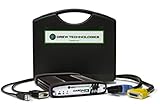
- ALL OF THE J2534 PROTOCOLS - This single unit has all of the protocols you need for your OEM J2534 reprogramming and diagnostics including the latest in DoIP and CanFD
- J2534 TECHNICAL SUPPORT - FREE for the life of the tool. Staffed by technicians who understand vehicle repair and J2534 Pass‑thru
- TOOLBOX WITH OEM APPLICATION DESCRIPTIONS - educational video tutorials and real-time news – Giving you the confidence and up-to-date knowledge to get the job done
- J2534 v05.00 API - The newest version of J2534 to give you the latest in pass-thru technology
- FUTURE PROOF WITH 4 CAN CHANNELS - Going beyond the 3 required by select Chrysler/FCA models, CarDAQ-Plus 3 also provides a 4th to meet the needs of future OEM applications

- 💯【Conta.ct us for Support Directly】For any issues experienced after purchase, please reach out to: 📞autelsupply@ outlook. com🛣️. Our team will provide perfect solution for you. For tech support or [explore additional accessory], please cont.act our team: 📞autelsupply@ outlook. com🛣️.
- 🌎【Autel J2534 Pass-Thru Progra.mmer】As an OEM Pass-Thru Progra.mmer Vehicle interface for multiple makes, Autel MaxiFlash J2534 support all J2534 protocols, D-PDU, CAN-FD and DoIP protocols. 2026 newer Autel MaxiFlash J2534 VCI can works with P-C and download OEM vehicle software, seamlessly conduct OE-level diagnostic-progra.mming-c0ding. Also, Work with Elite II Pro/ Ultra Lite/ MS909/ MS909CV/ MS909EV to directly pro.gram on Merce.des-Be.nz & BM.W. Autel J2534 Progr.ammer is a multi-functional device and supports 10+ major brands, including for Hond.a, G.M, LandRo.ver, BM.W, Chrysl.er, For.d, Hyun.dai, Ki.a, Merc.edes B.enz, Toyot.a, Volksw.agen etc.
- 🌎【Enhanced Protocol: J2534/D-PDU/RP1210/CAN FD/DoIP】Autel MaxiFlash JVCI is a blueto.oth communicate device, it supports latest CAN FD DoIP CAN protocols, compliant with automotive D-PDU/ J2534/ RP1210 standards. It can perform standard PassThru J2534 functions: compatible with Toyota Techstream, Volvo VIDA, Honda HDS, Jaguar Land Rover IDS and BM.W 3G for OEM diagnostics. CAN FD protocol is mainly for GM 2019+, DoIP protocol is mainly for Volvo 2018+, for L-and Rover/for Jaguar 2017+, for BM.W F chassis and G chassis.
- 🌎【Compatible with P-C/ WIND.OWS 】The Autel J2534 VCI can be connected to a compu.ter via a data cable; once the corresponding OEM software is installed, it enables do advanced progr.amming and c0ding on your vehicles. Easy Steps: 1) Connect to P-C via a USB cable 2) download OEM vehicle software 3) Start Diagnose. Take For.d for example, you can download OEM software on mot.orcraft.erservi.ce website, such as: For.d Diagnostic Software downloads, As B.uilt Data, Updated Cali.bration information, then use different software do relevant features.
- 🌎【Work with Autel Elite II Pro/ Ultra Lite/ MS909/ MS909CV/ MS909EV】This 2026 latest Autel J2534 Pass-Thru VCI is 100% compatible with Autel Elite II Pro Ultra Lite MS909 MS909CV MS909EV to perform advanced functions from diagnose to progra.mming.

- [2026 X431 PRO3 V+ Elite] A great value for the X431 series that differs from similar diagnostic tools by adding: 1) J2534 protocol for over $800 in savings; 2) CANFD/DOIP support for enhanced communications; 3) Configuration of over $900 worth of HD(heavy truck) modules, needed purchase HD diagnostic software by HD vehicle model for use.; 4) A 10.1 inch Gorilla screen with 1280*800 resolution and 80% more touch screen sensitivity
- [J2534 Protocol Scan Tool] The J2534 Direct Access Device can be used as a factory scanning tool at no cost to you, saving you over $2,000. You can easily expand your ECU protocol capabilities for Toyota, Honda, VW, BMW, Ford, GM, Chrysler, Mercedes-Benz and more. The LAUNCH X431 PRO3 V+ ELITE Scan Tool is equipped with the newly upgraded smartlinkC V2.0. smartLinkC is a communication interface that supports the J2534 specification. It can also be used as a J2534 PassThru device to implement the J2534 protocol with a PC that has OEM diagnostic software installed.The J2534 protocol is the only way to solve problems ranging from drivability and power loss to poor fuel economy
- [Top Hardware Configuration, Upgraded Version of V+] LAUNCH Diagnostic Scanner adopts Android 10.0 OS; CPU is 4-core processor with 2.0 GHz, which greatly improves the speed of running multi-tasks. 2.4GHz/5GHz; 6300mAh/7.6V ultra-large capacity battery; 10.1 inch Gorilla screen, sunlight readable, 8MP camera; Auto VIN; 4GB+64GB storage; 20x transfer rate to save more vehicle files and customer data; New TYPE A interface to connect expansion tools such as oscilloscopes, sensors, etc.; Supports more than 25 software languages such as EN, DE, FR, SP and JP
- [60+ Reset 3000+ Active Test] Full Bi-Directional Scan Tool quickly detects problems and guides repairs based on the response of actuators such as air conditioning clutches, windows, doors, mirrors and more. With the touch of a finger, you can easily send command signals from the scanner to a variety of modular actuators, testing component integrity and functionality in minutes or even seconds to determine if a replacement or repair is needed. In addition, the machine enjoys 60+ special services such as oil reset, ABS brake bleed, EPB, SAS, BMS, suspension, injector reset and more, and undergoes rigorous field testing to ensure availability
- [Unrivaled Coverage, Over 200 Vehicle Brands] LAUNCH X431 PRO3 V+ Elite Automotive Scanner is suitable for over 200 vehicle brands, including commercial vehicles and new energy vehicles. This professional car scanner supports: 1) J2534/D-PDU protocol for HD trucks; DoIP/CANFD for Land Rover/Jaguar, BMW F/G chassis, GM, etc.; 2) FCA Autoauth, covering 2018+ Chrysler/Dodge/Fiat, etc. New/old models, all covered. Includes frequently updated vehicle software and car coverage for faster support of other new models

- Industry-leading J2534 Pass-Thru Technology: Enabling diagnostics, reprogramming and security functions for dealerships and the independent repair facility. Economical and compact pass-thru devices provides an easy-to-use interface that allows you to repair complex vehicles with OE applications in your shop. Each type (see single branded types above) Mongoose-Plus is engineered to work with one of the following OEM's J2534 applications for Chrysler, Ford, GM, Nissan, Toyota, Subaru, & VW/Audi.
- Supports Current GM Vehicles: Now includes CAN-FD, DoIP (Diagnostics over Internet Protocol - as defined in J2534-2) and support for J2534 version 5.0. This is the tool that GM dealerships use for diagnostics and reprogramming.
- NEW Bluetooth Wireless Options Available: Providing wireless connectivity between your laptop and the Mongoose-Plus
- Expert Product Support: Staffed by technicians who understand vehicle repair and J2534 Pass‑Thru applications to help you with any technical setup questions
- Key Registration and Immobilizer Support: Using NASTF Vehicle Security Professional credentials
Last update on 2026-06-16 / Affiliate links / Images from Amazon Product Advertising API
This product presentation was made with AAWP plugin.